MSME Portal | Flight Booking
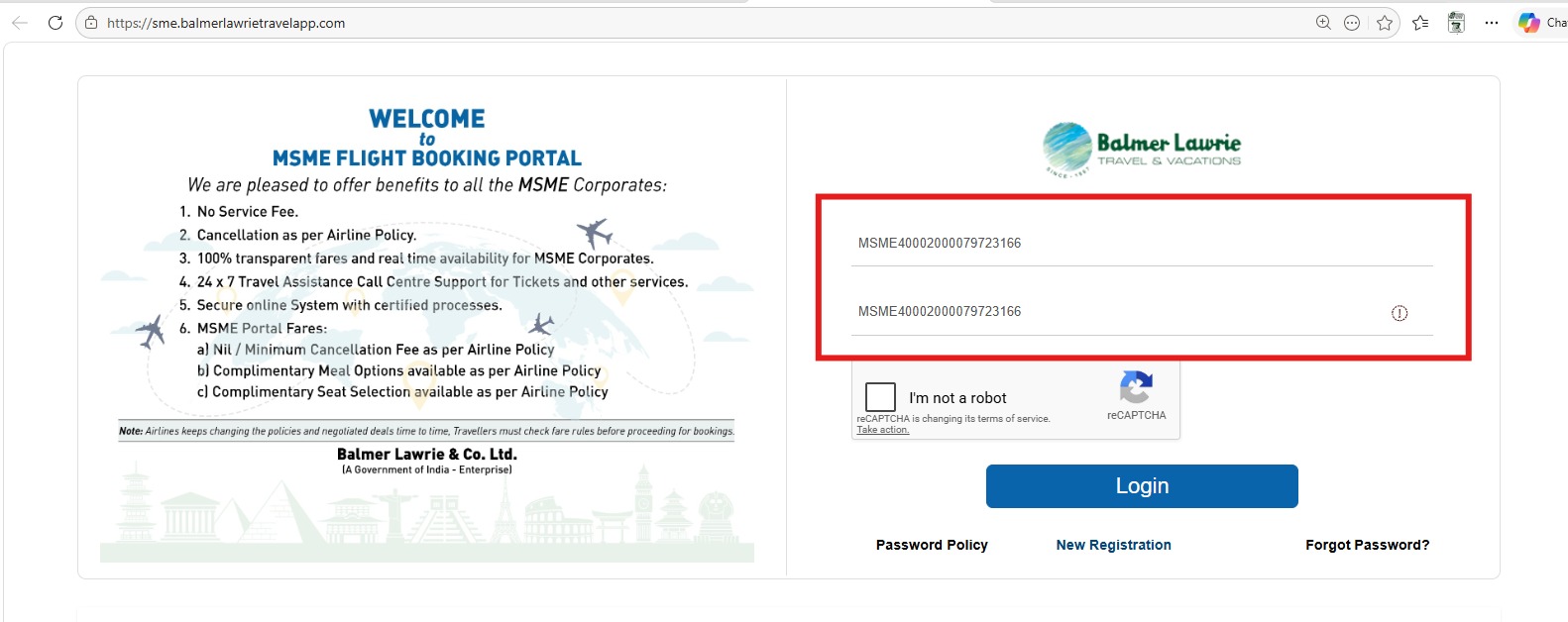
Step 1 - Login to your MSME portal
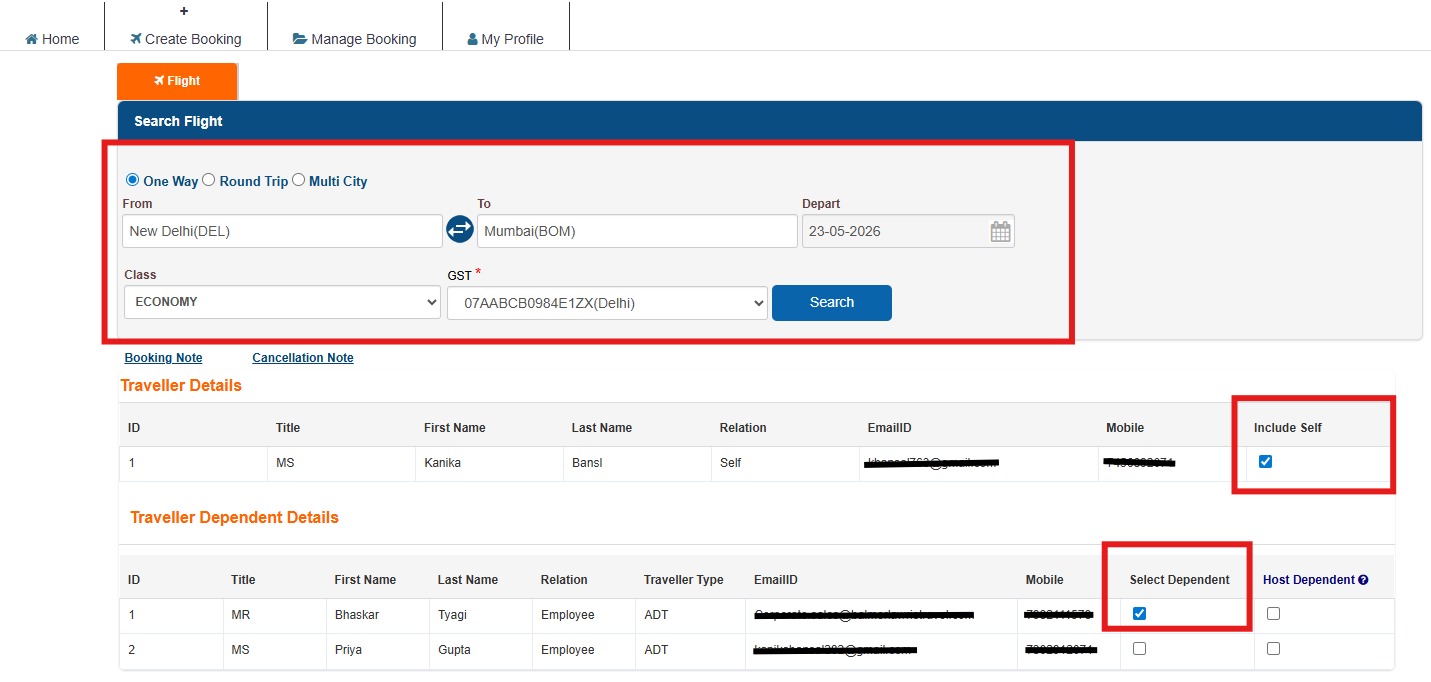
Step 2 - Fill the required details in the form, i.e., From (Departure), To (Destination), Departure date, class, and GST details and tick on passenger names who are travelling and then click on search
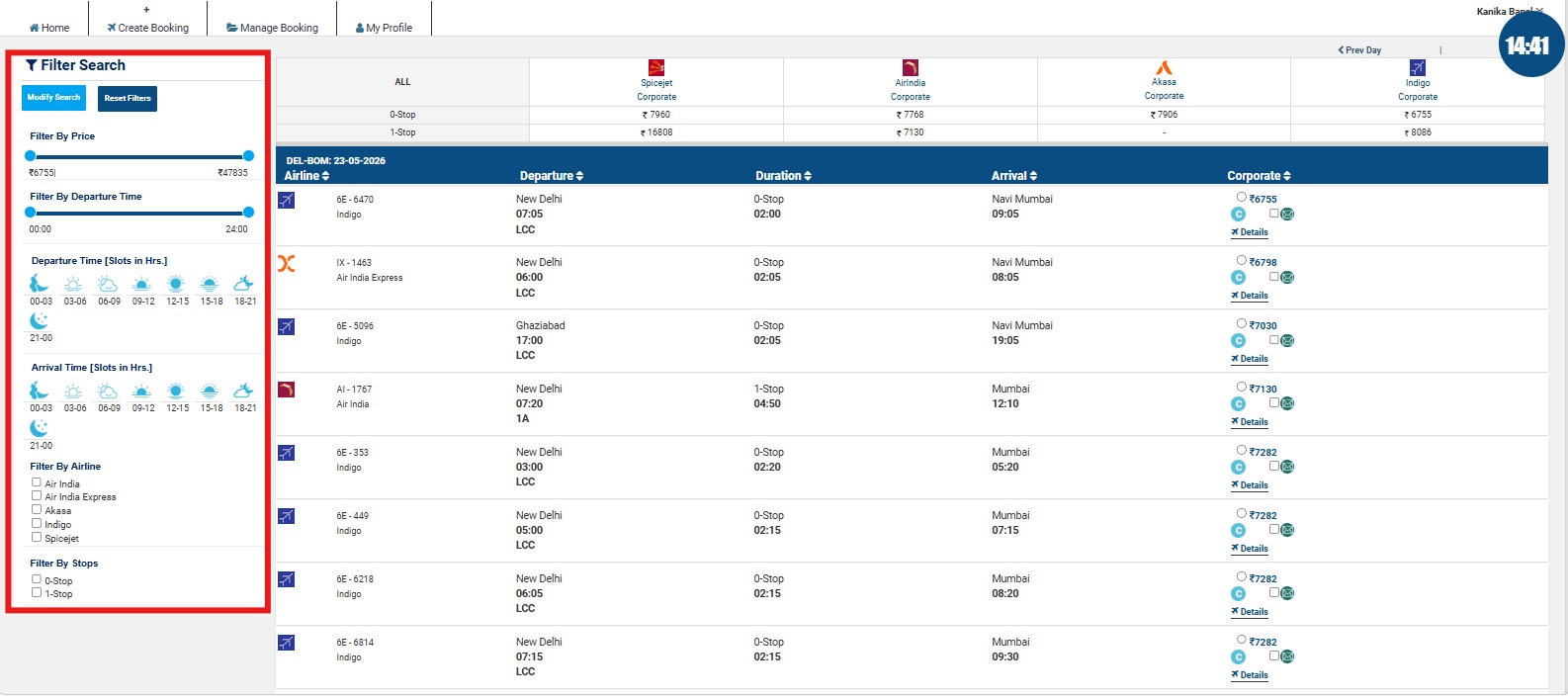
Step 3 - You can select the flight as per requirement and can utilize different filters available as per requirement.
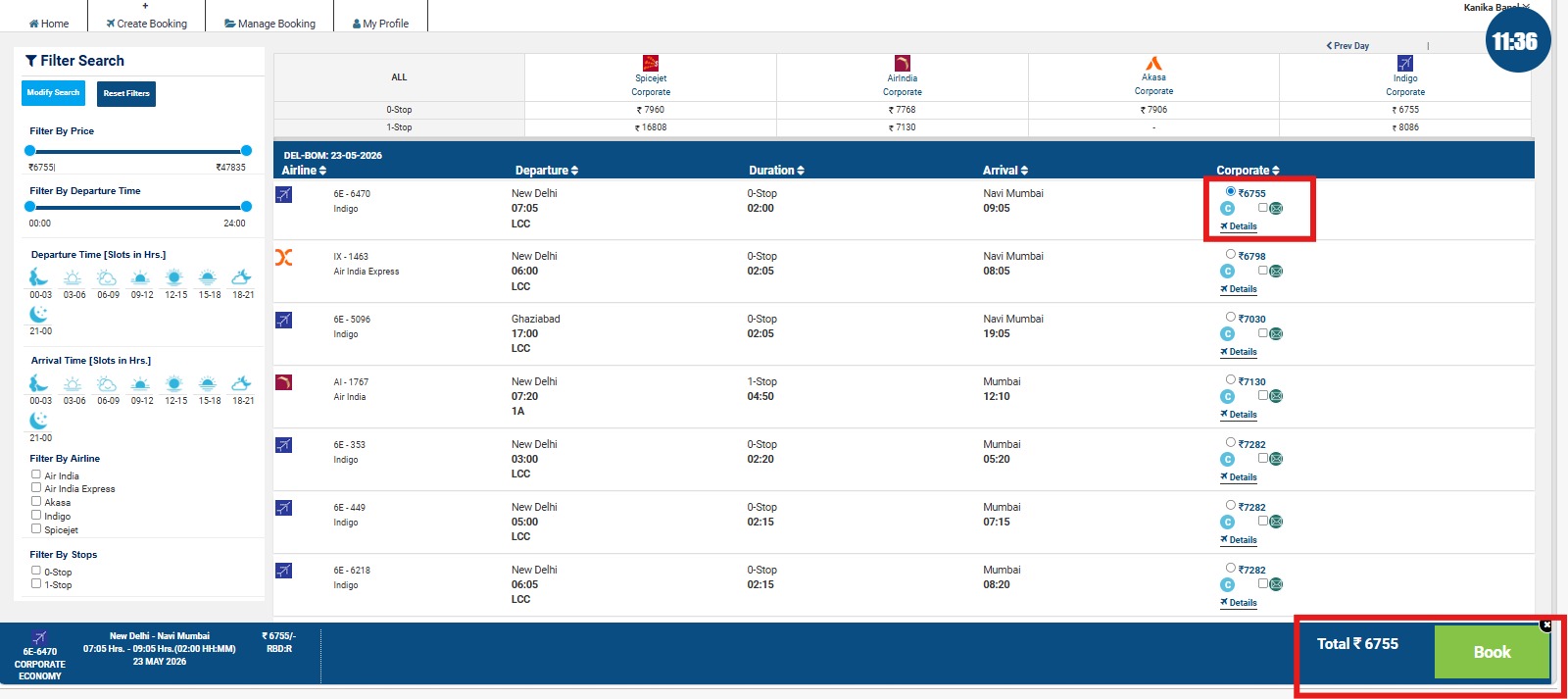
Step 4 - Now select any one and then click on book.
Step 5 - Select Seat option and then select the required seat and press continue.
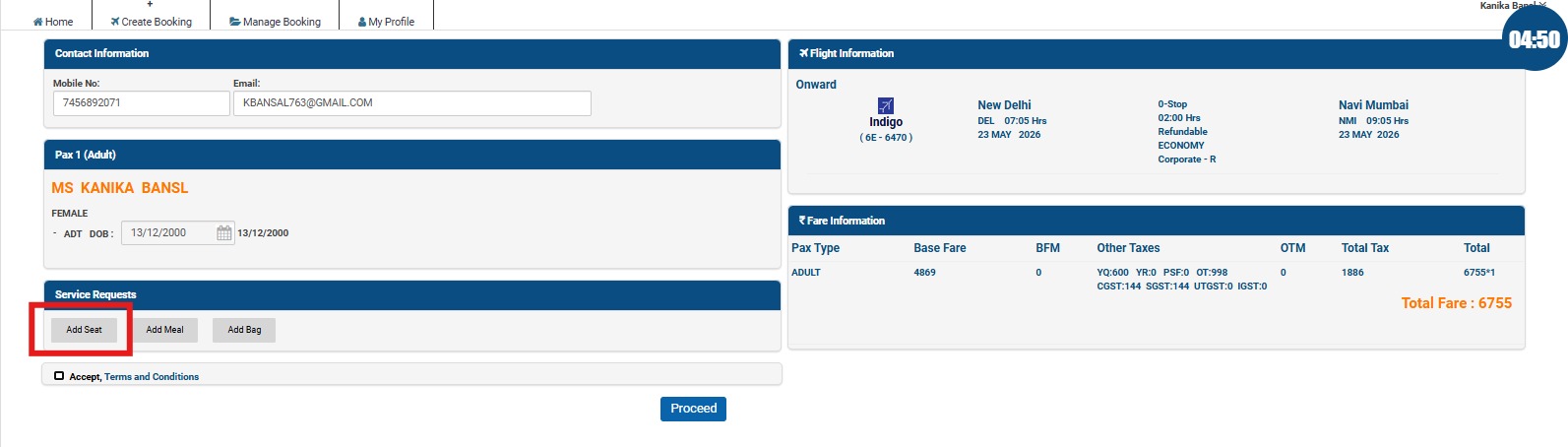
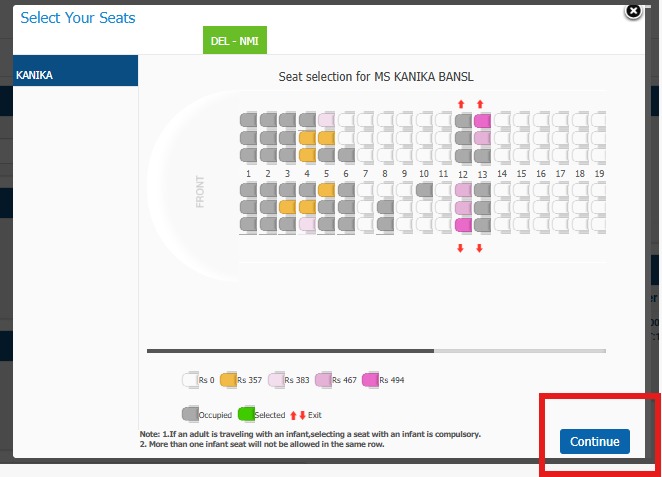
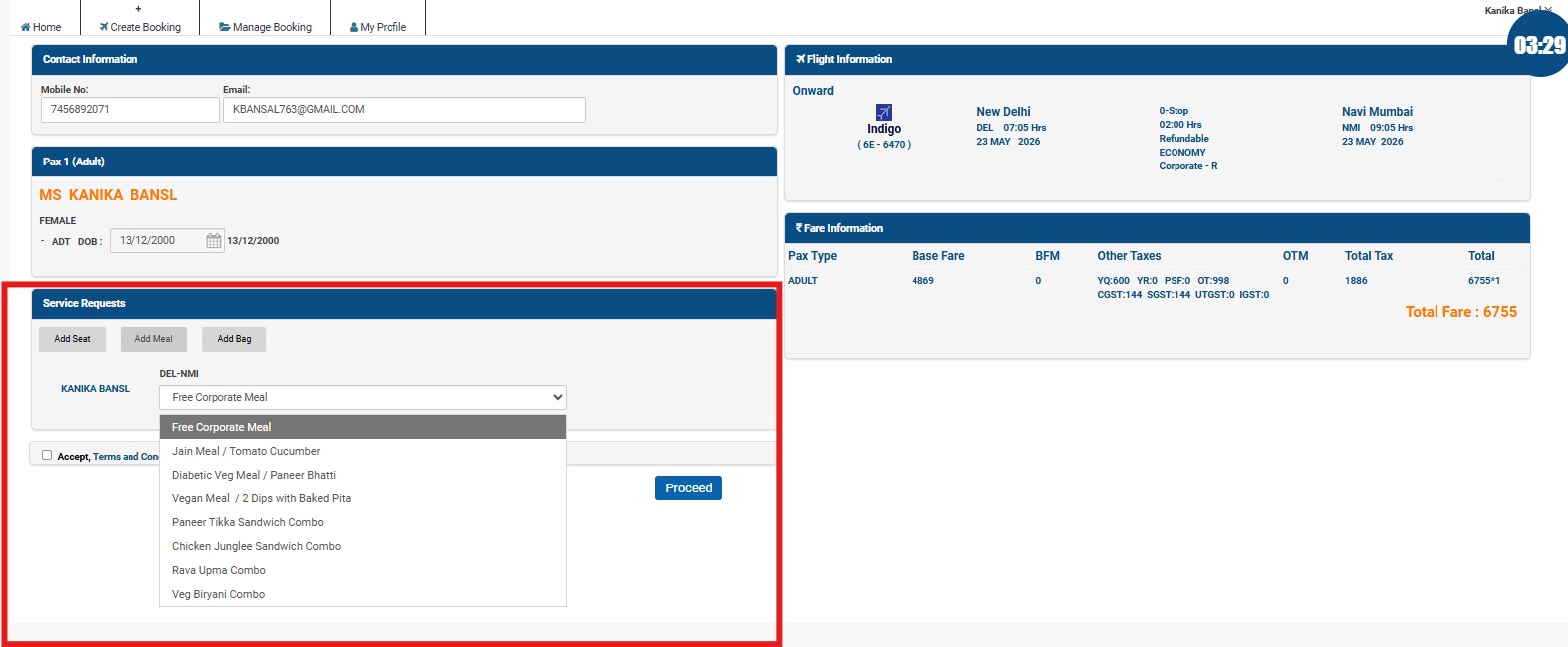
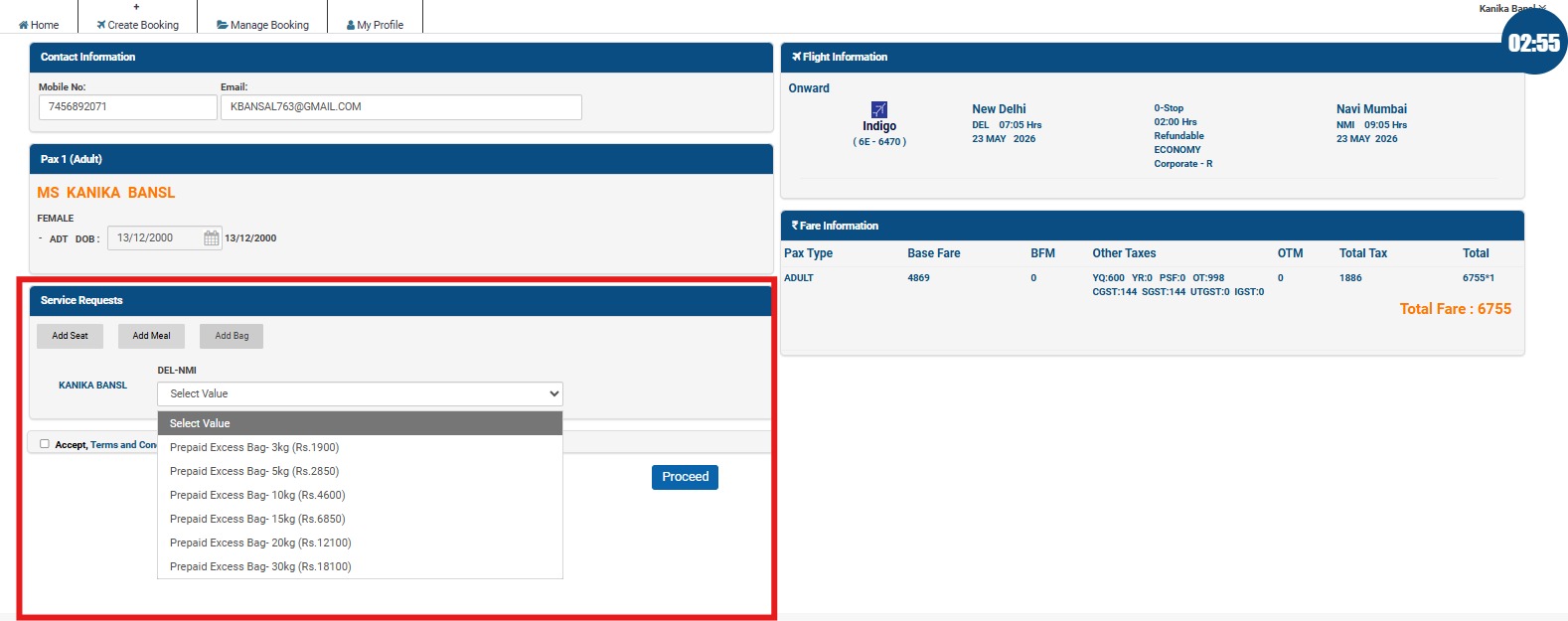
Step 6 - Select Add meal option & then select add bag to fill the respective details.
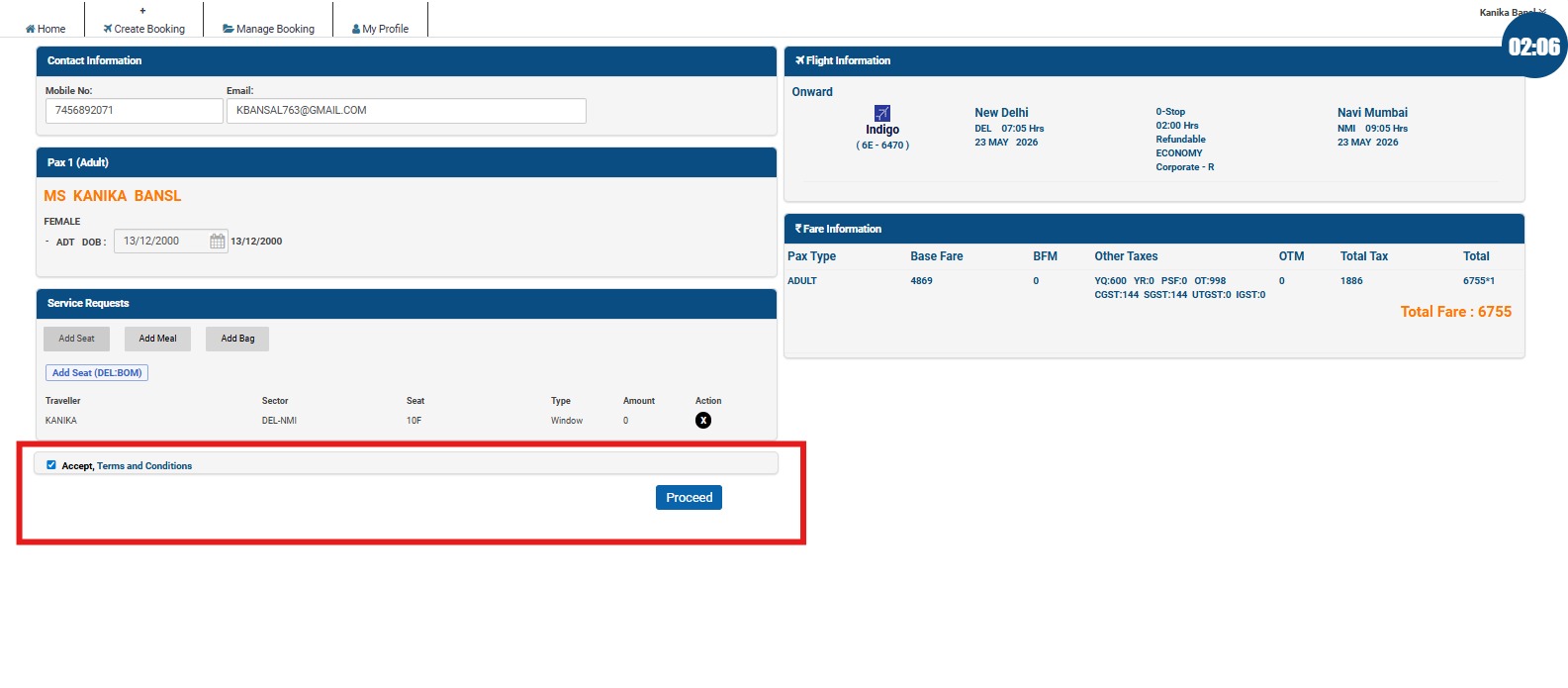
Step 7 - Accept the terms and then click on proceed to confirm.
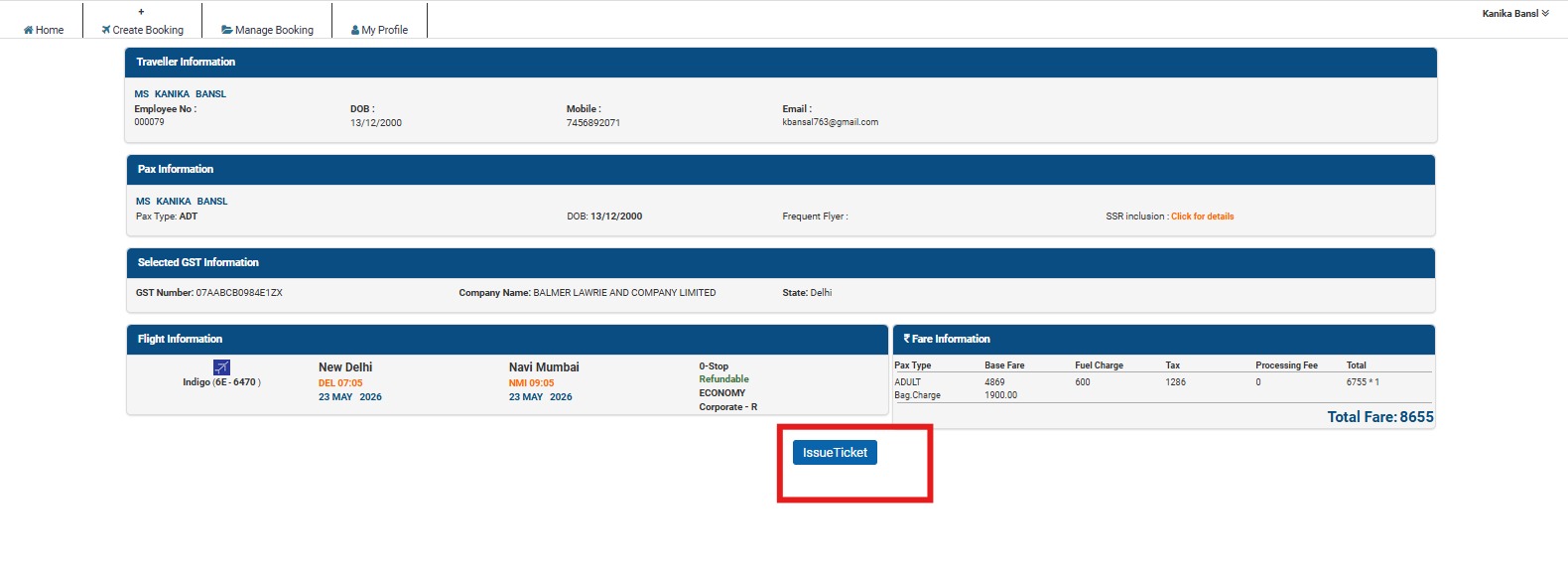
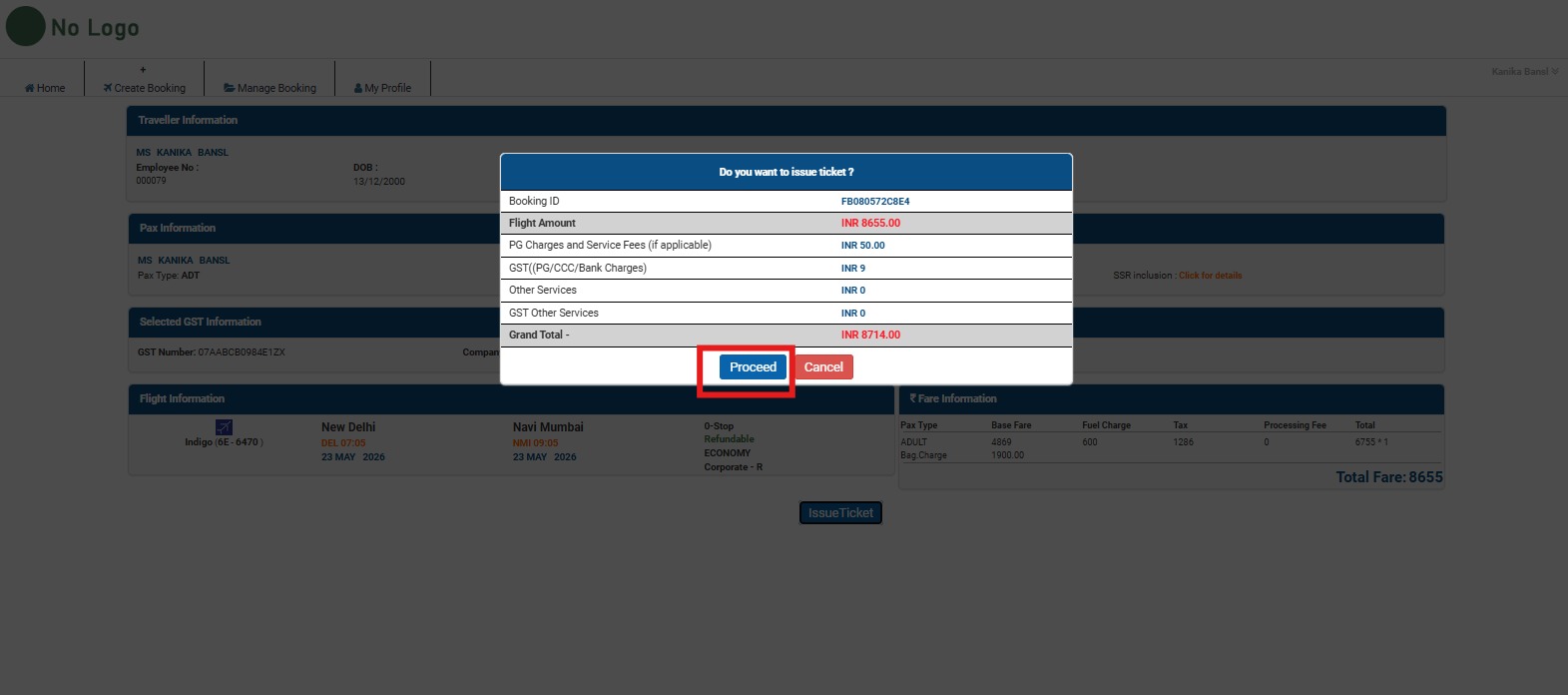
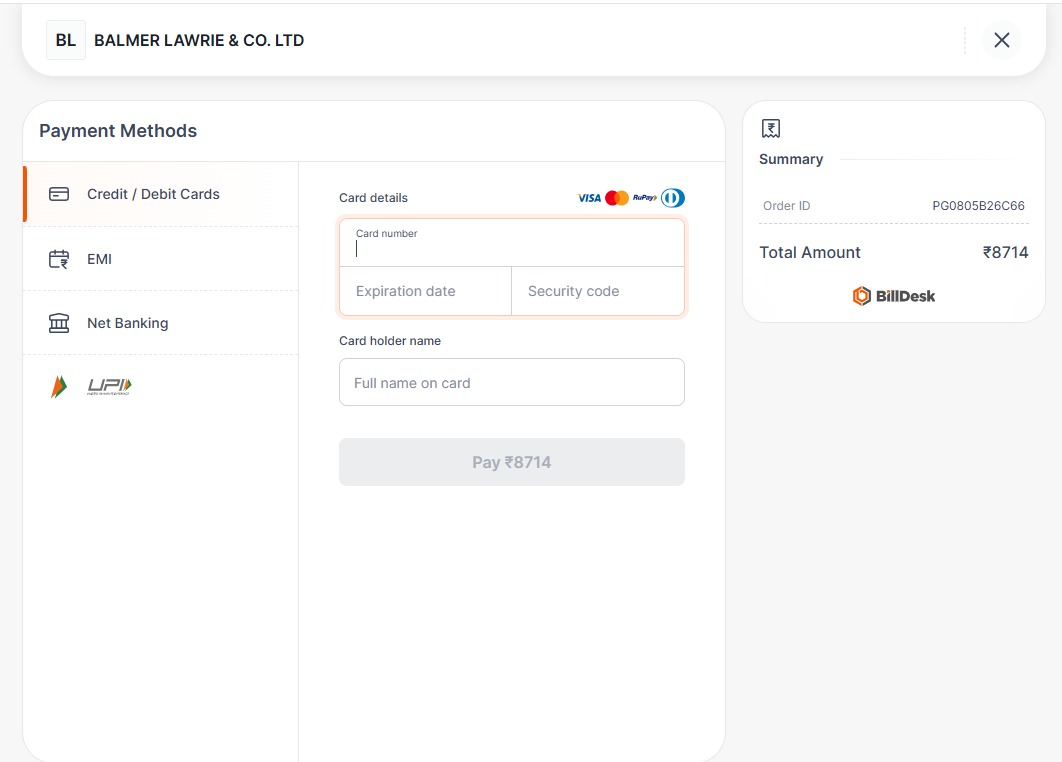
Step 8 - Click on issue ticket which then will redirect you to the payment option. You can choose any one and complete the payment.