MSME portal | Booking Canellation Policy
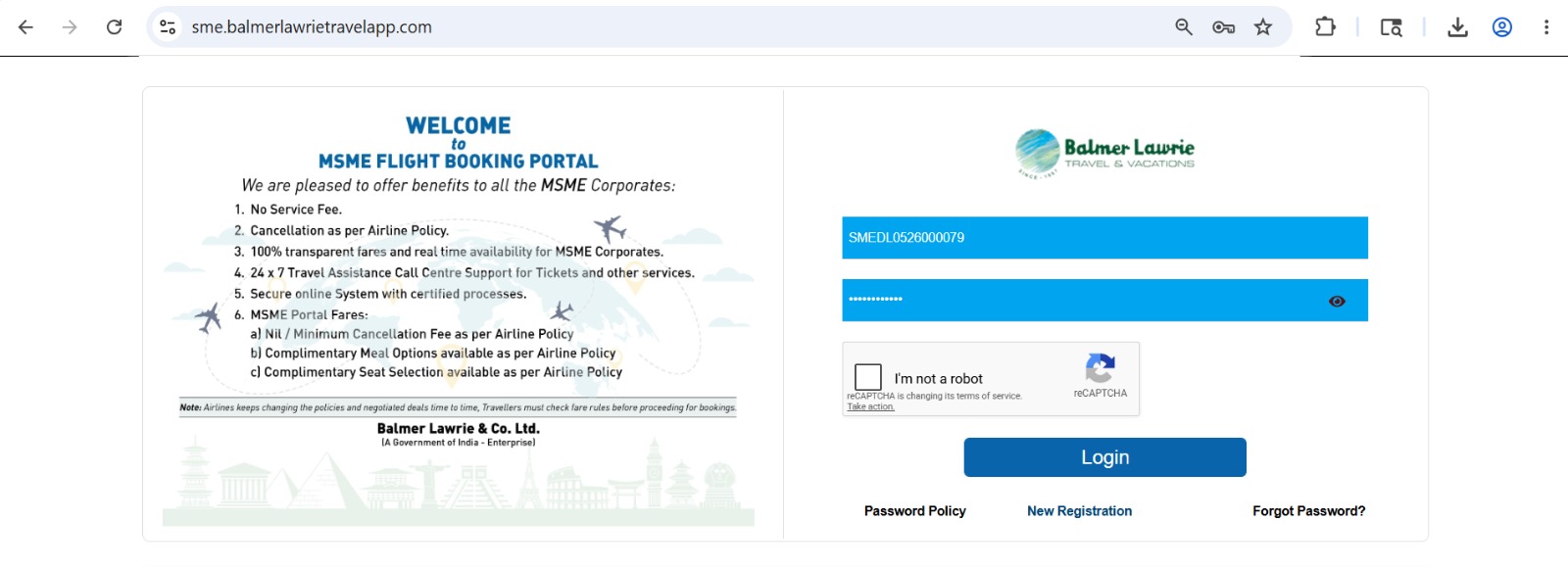
Step 1 - Login into Balmer Lawrie MSME Portal (Balmer Lawrie - SME Portal)
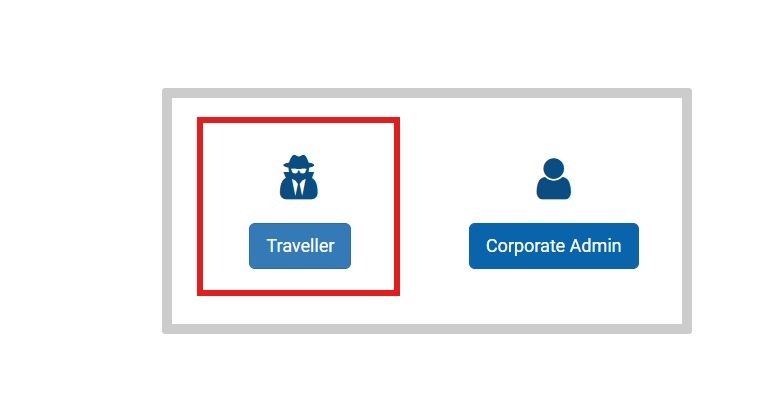
Step 2- Click on traveler.
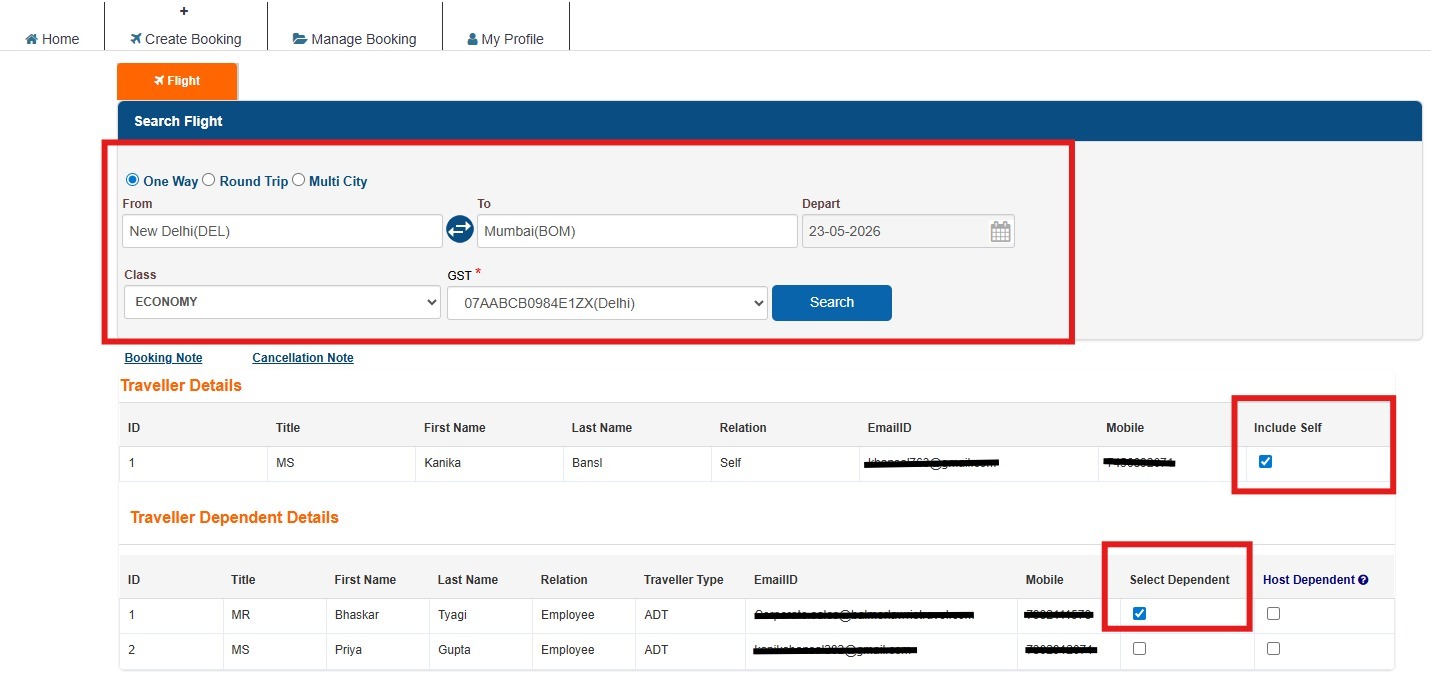
Step 3- Fill the required details in the form, i.e., From (Departure) To (Destination), Departure date, class, and GST details and tick on passenger names who are travelling and then click on search.
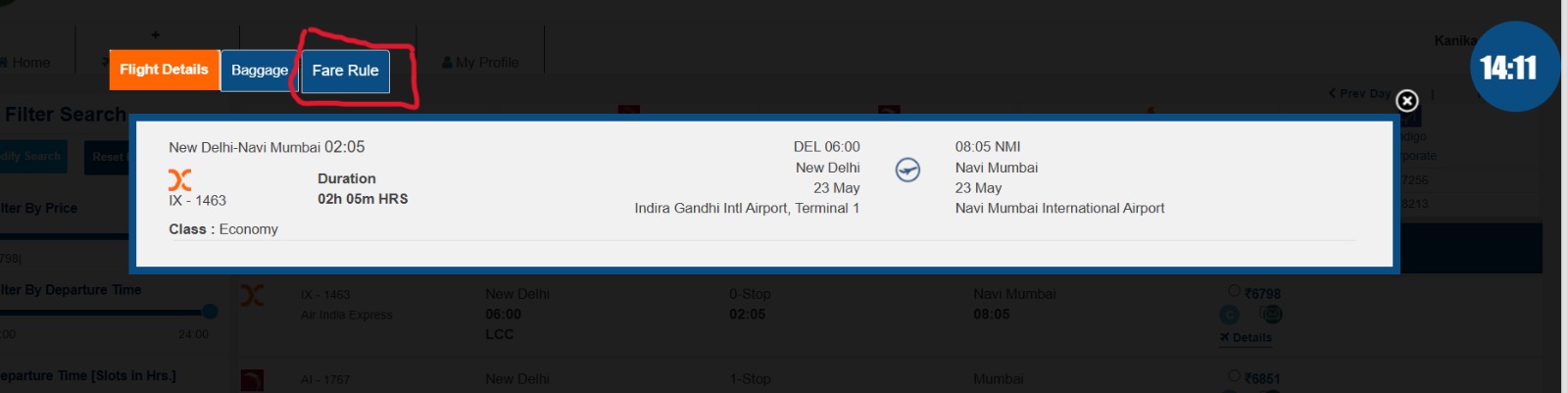
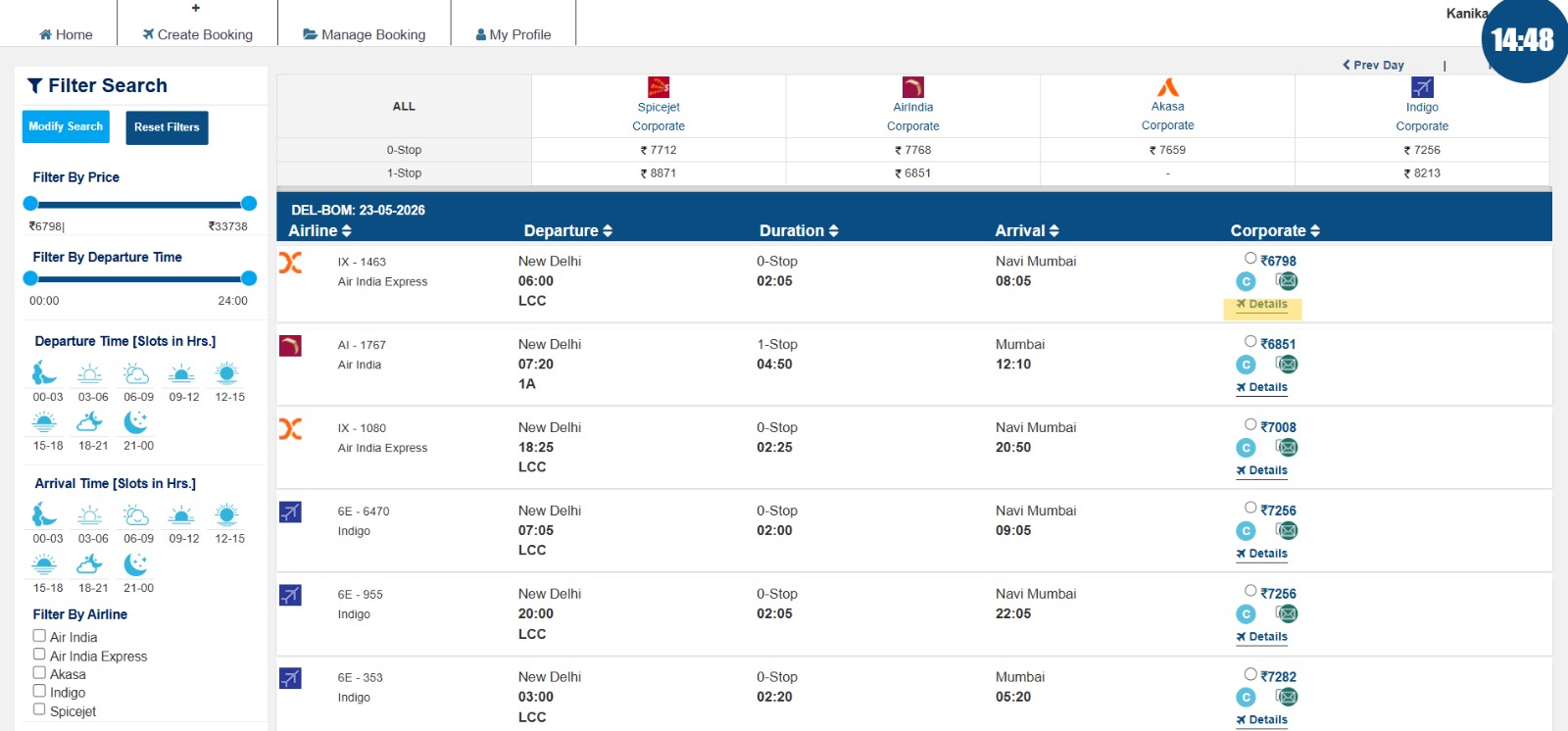
Step 4 – Click on Details of the chosen flight to be travelled.
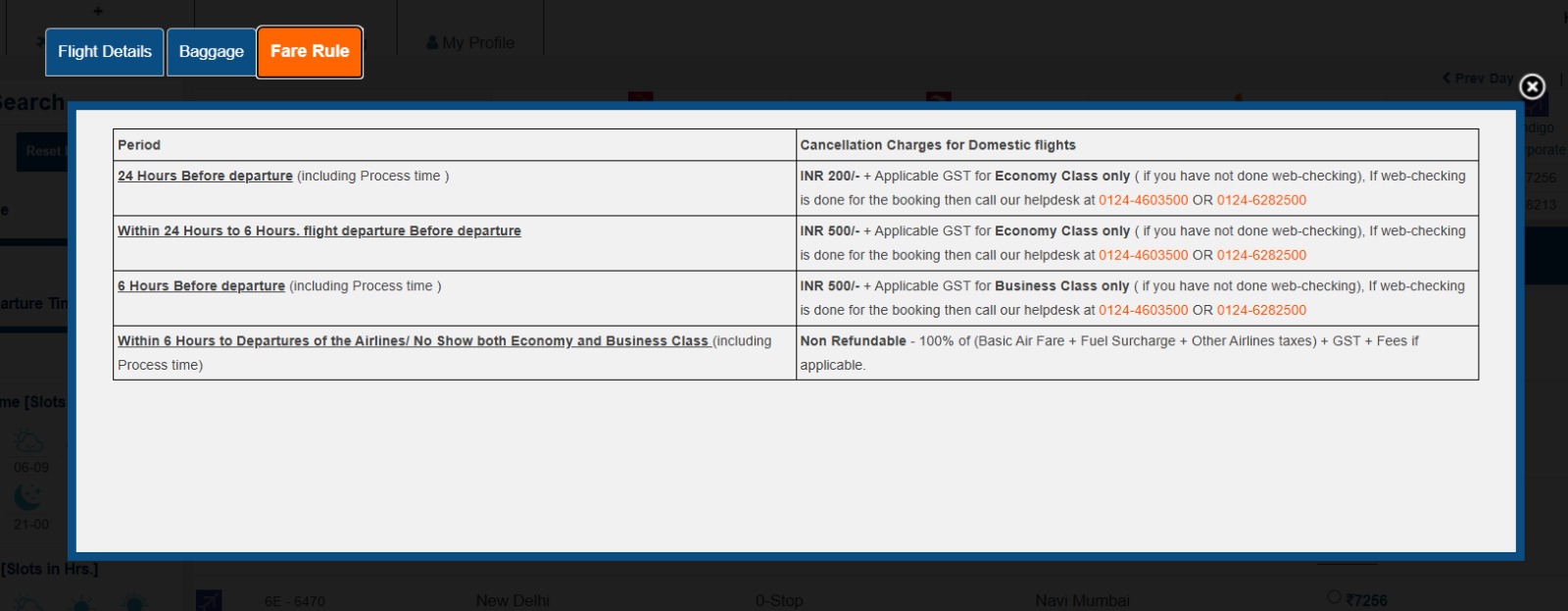
Step 5 - Click on Fare Rule option, the Pop-up Cancellation charges is displayed in the tabular form here for respective airlines.