MSME Portal | Adding Dependents in Balmer Lawrie Booking portal's User Account
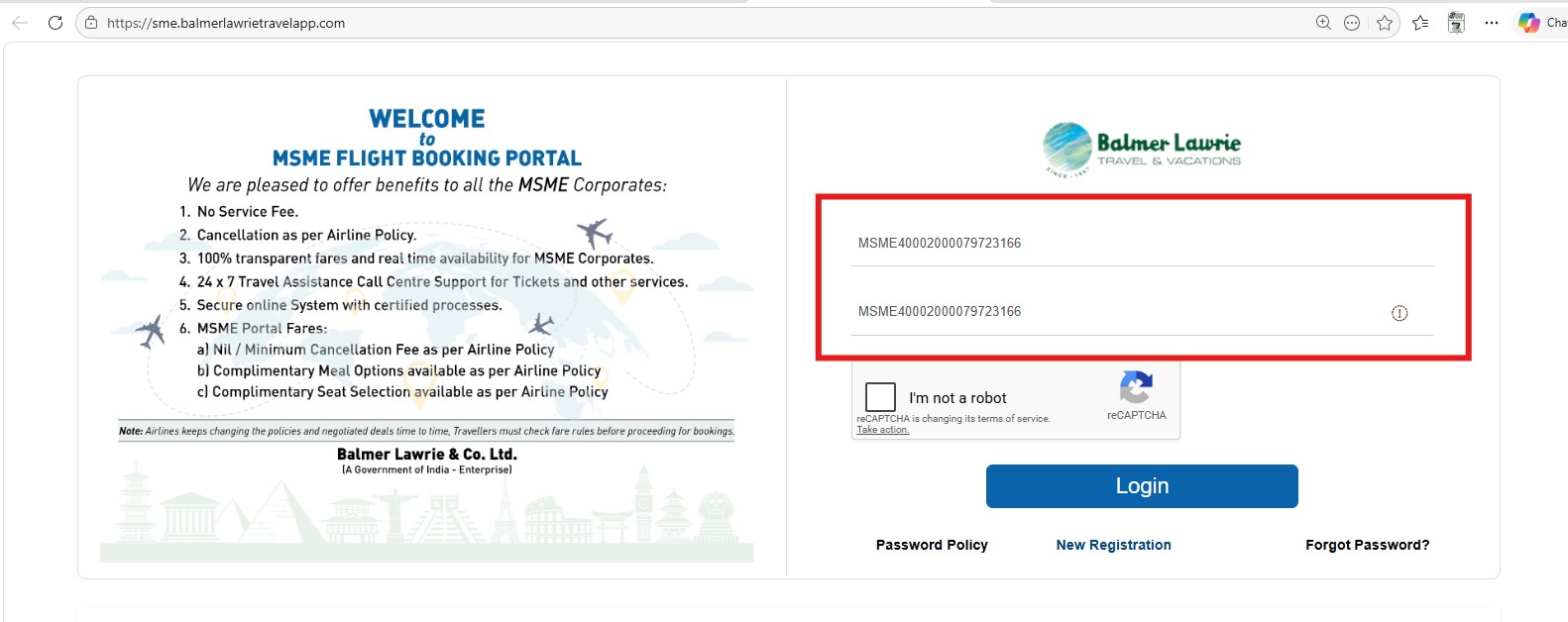
Step 1 - Login to MSME portal
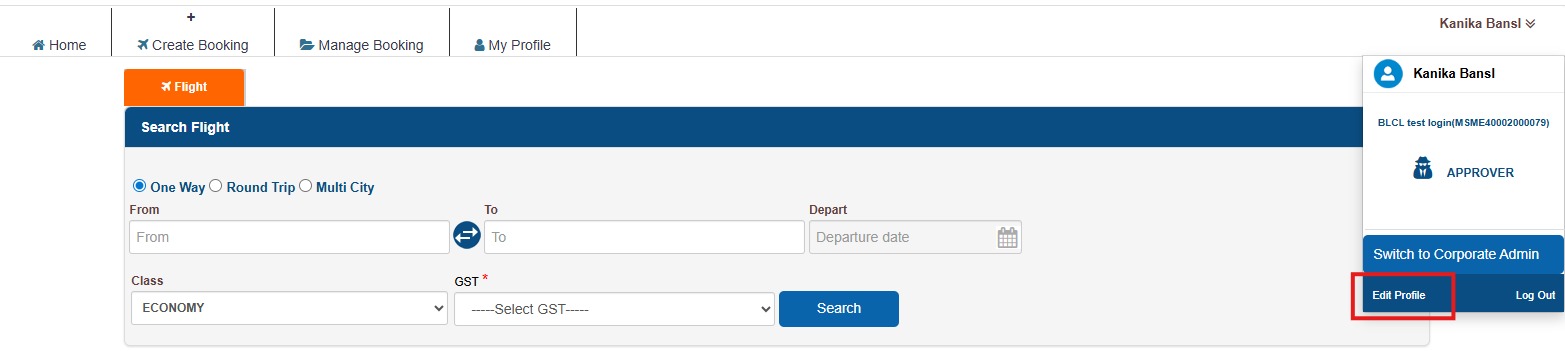
Step 2 - Click on Profile and then on Edit Profile.
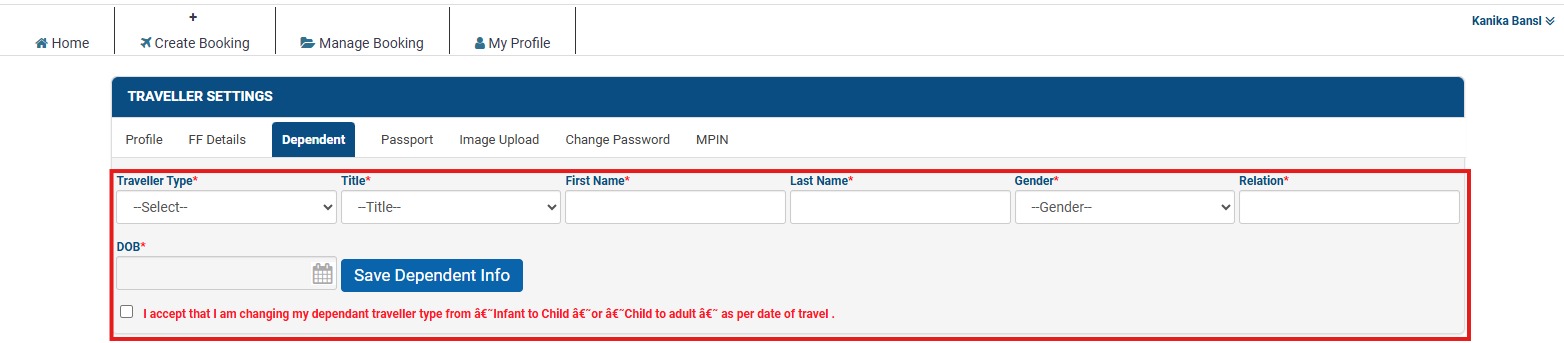
Step 3 - Click on Dependent option.
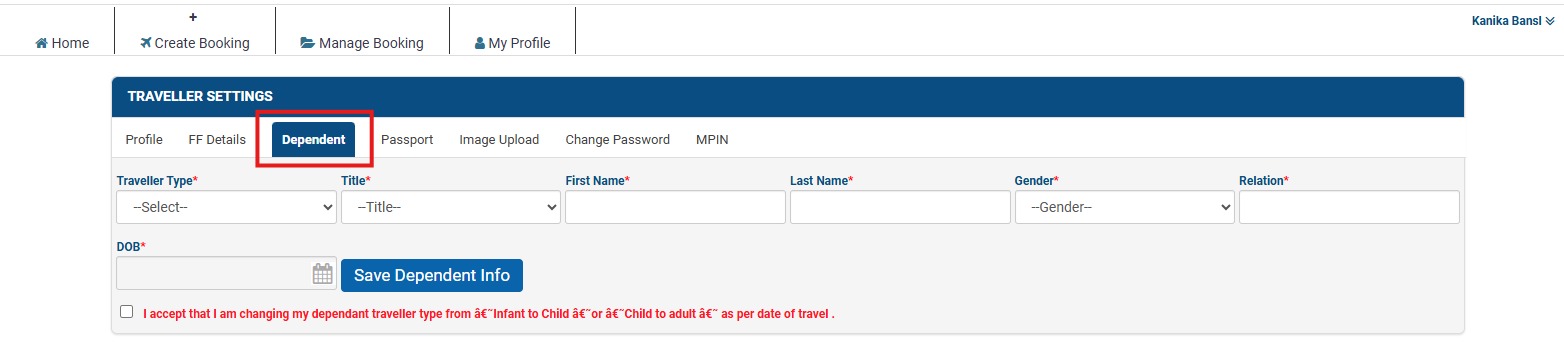
Step 4 - Select traveler type, title, first name, last name, gender, relation and date of birth
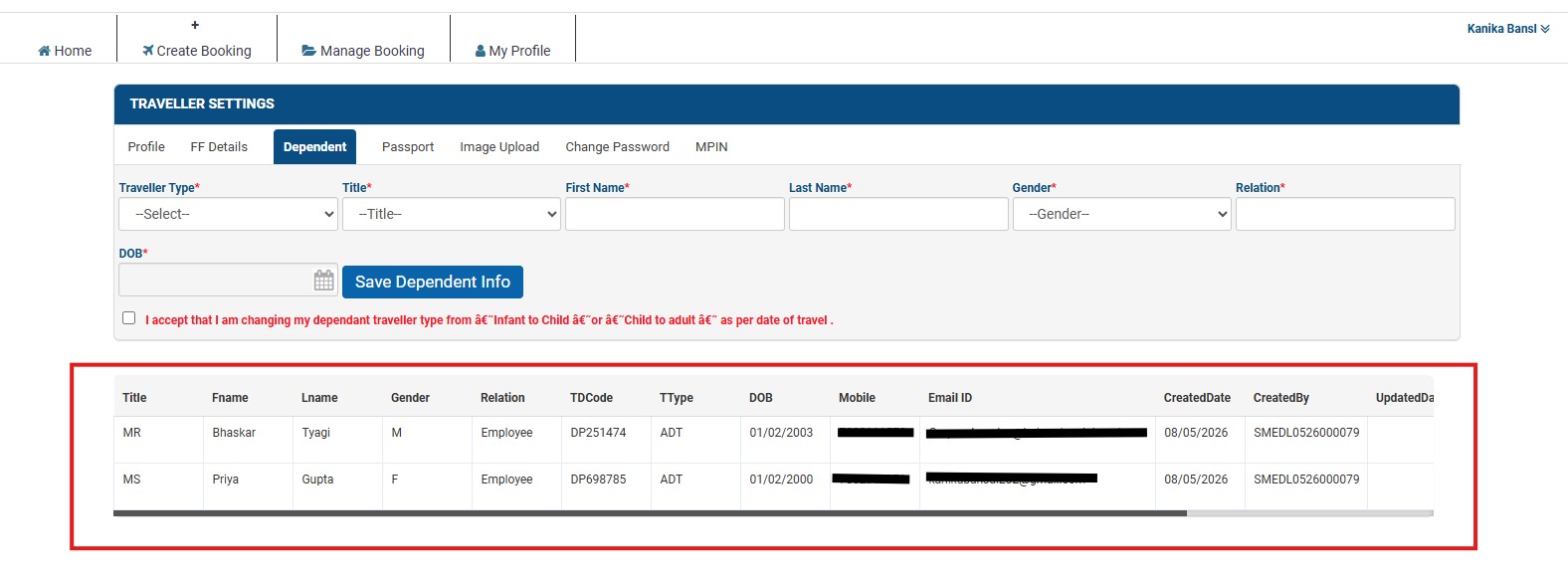
Step 5 - View of added Dependent.
Details of Dependent travellers are displayed serial wise below the “Traveller Details” section on the home page of the logged in profile of the user. User has to select the dependent traveller while proceeding to search for flight.